
How to Filter Out Fake 5-Star TripAdvisor Reviews
A single glowing review from an account with one past contribution is worth reading skeptically.
This feature is unrelated to GoNoGo's usual pet-policy purpose — it's a separate, self-contained tool for a different problem: spotting reviews that look suspiciously like they were planted to inflate a rating, so you spend less time reading them and more time reading reviews from reviewers with an actual track record.
Available from GoNoGo v0.7.4 onward — if your extension hasn't auto-updated yet, you won't see it until it does.
The pattern this targets
A one-off account with a single past contribution leaving a glowing 5-star review is a common signature of a planted or incentivized review — not proof on its own, but a signal worth weighing. A genuine, unremarkable 2- or 3-star review from an infrequent reviewer isn't the same kind of suspicious, so this feature deliberately leaves those alone: only a 5-star review from a reviewer with a low contribution count gets flagged.
How it works
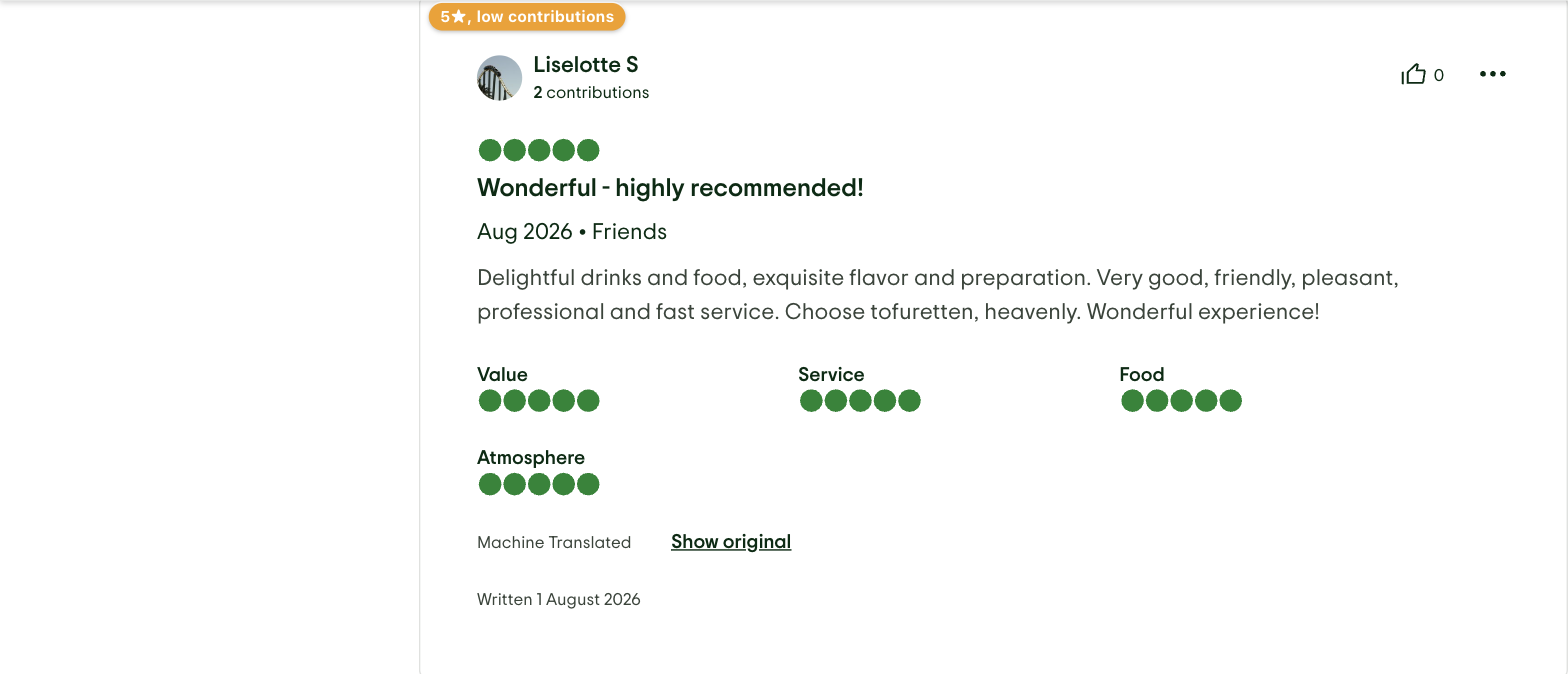
On TripAdvisor Hotel, Restaurant, and Attraction review pages, GoNoGo reads each review's own star rating and the reviewer's own "N contributions" stat, both already shown on the page. Matching reviews get a small amber "5★, low contributions" badge automatically — no action needed to see which ones qualify. A one-time prompt then offers to hide them; accepting applies to further review pages you view in that tab too, not just the one you're on, and a small "GoNoGo · N reviews hidden" indicator keeps a running count on screen as it keeps happening across pages.
See it in action
On a review page
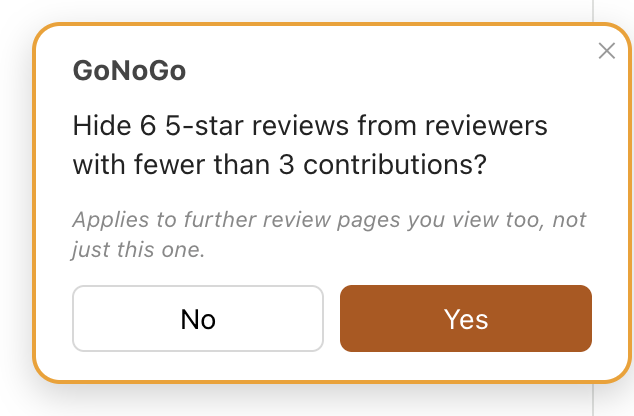

In the extension popup
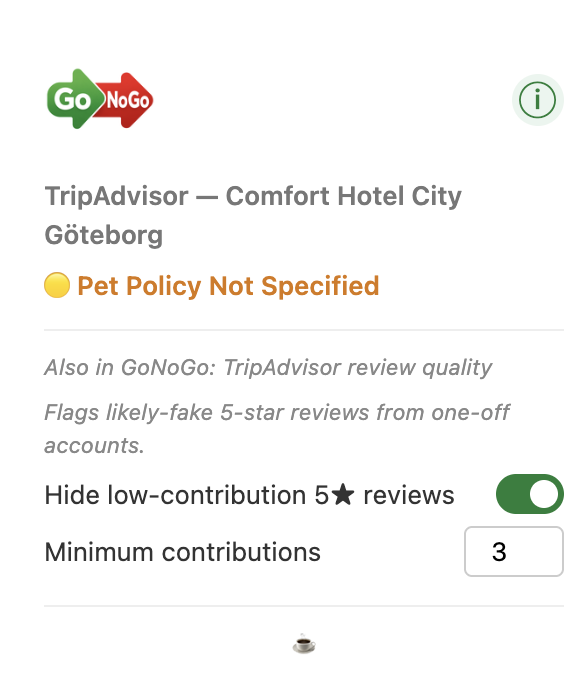
What counts as "low"
The contribution threshold is adjustable from the extension popup (2 to 5, whenever you're actually on a TripAdvisor review page) — lower it to flag only the most obviously thin accounts, or raise it to catch more borderline cases.
Nothing is sent anywhere
This runs entirely in your browser against the page already in front of you — no network requests, no analytics, nothing sent to GoNoGo or any third party. See the privacy page for details.
More on GoNoGo: FAQ · How to avoid pet-friendly hotels · Pet-free hotels
Get GoNoGo for Chrome · Get GoNoGo for Edge · Back to GoNoGo