
GoNoGo on Priceline
Because "pet-friendly" isn't always friendly.
Download GoNoGo for Chrome or Edge — it's free.
Priceline's own filters make it easy to find a pet-friendly stay — there's no equivalent filter for the opposite. GoNoGo fills that gap directly on the site: install it, search as normal, and it reads each listing's own policy text to tell you whether pets are allowed, not allowed, or simply not specified.
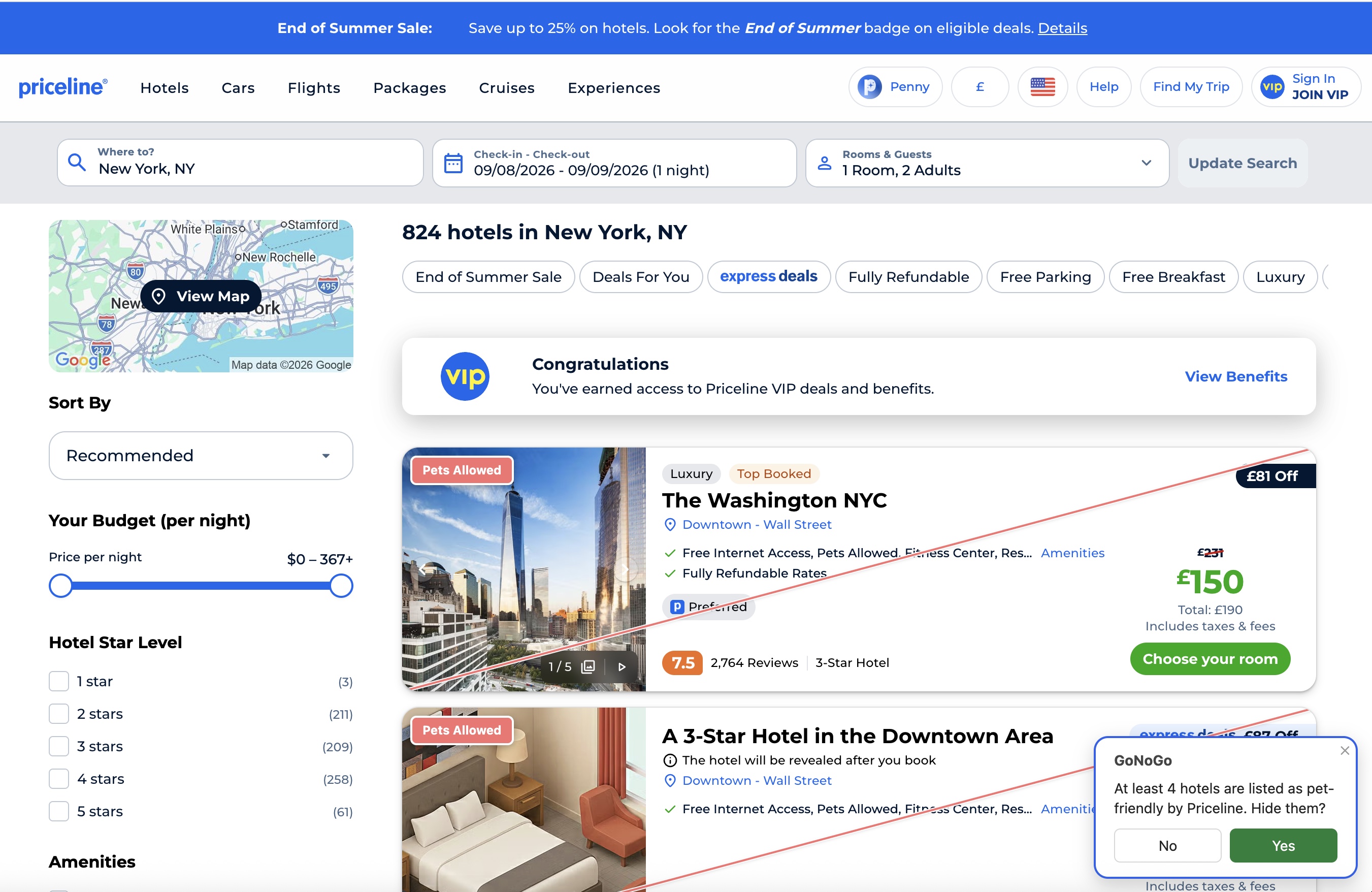
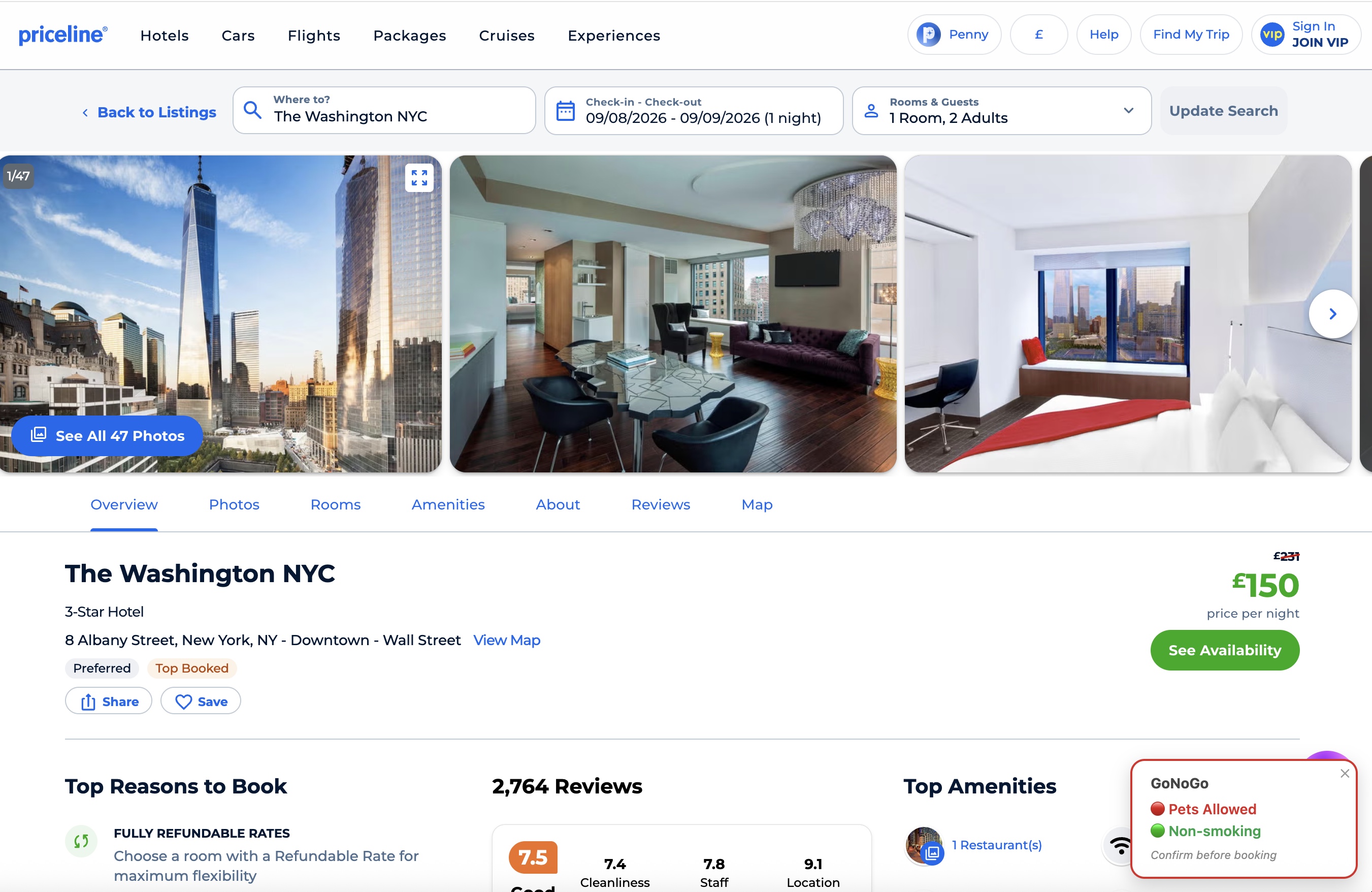
On a Priceline search-results page, GoNoGo reads each card's own rendered text directly — no extra request needed — and flags every listing it can confirm is pet-friendly with a red corner badge, offering to hide exactly those. On an individual property page, it shows the same result as a small badge in the corner of the screen.
See it in action
Search results — New York, NY
Property page — The Washington NYC
What GoNoGo can confirm on Priceline
Priceline listings state an explicit pet policy, so GoNoGo can confirm "not allowed" as well as "allowed" — not just infer it from an absent amenity tag. That means a green "Pets Not Allowed" badge here is a real, stated policy, not a guess.
Service animals
In many regions, service animals are legally exempt from standard pet policies. GoNoGo
does not attempt to classify or exclude these cases — it simply reflects the general pet
policy stated in the listing.
More guides: No pets allowed hotels · Hotels for pet allergies · "No pets" filter?
Get GoNoGo for Chrome · Get GoNoGo for Edge · FAQ · Back to GoNoGo